
By the GSA Contract Services team | Reviewed by a GSA Authorized Negotiator | Updated October 1, 2026
Knowing how to choose GSA SINs is the first decision that shapes your entire GSA Schedule offer. A Special Item Number (SIN) tells federal buyers exactly what you sell. It also tells GSA which rules apply to your proposal.
Pick the right SINs and your offer reads cleanly. Pick the wrong ones and you face clarification requests, rejected modifications, or a listing no buyer can find. This GSA MAS SIN selection guide walks through the six steps our Authorized Negotiators use with clients every week.
Key Takeaways
- Start with what you sell today, then shortlist SINs using your NAICS codes.
- Read each SIN description word for word. Scope decides the fit, not the title.
- Services SINs need project narratives (two for IT). Product SINs need TAA compliance.
- Since Refresh 31, every SIN carries monthly TDR reporting, so fewer, stronger SINs win.
- You can add or delete SINs after award through an eMod modification.
Table of Contents
What Is a GSA SIN and How Does It Fit Into the MAS?
The GSA Multiple Award Schedule (MAS) is organized in three levels: 12 Large Categories, then Subcategories, then SINs. The SIN is the most specific level. It defines the exact product or service scope you may sell, such as SIN 54151S for IT professional services.
Each SIN links to a NAICS code, a size standard, and its own instructions in the solicitation. As a result, choosing Special Item Numbers for GSA Schedule work is really a decision about which rules you agree to follow. It also decides which buyer searches you appear in.
The market behind those searches is large. The MAS program closed FY2025 with $50.6 billion in total sales across approximately 14,579 active contractors (GSA SSQ+, 2025). Buyers filter that marketplace by SIN, so your SINs work like shelf placement in a store.
Why Does GSA SIN Selection Matter So Much?
Your SIN choices affect three things at once: whether GSA accepts your offer, how buyers find you, and what you must report after award.
- Evaluation. GSA reviews scope, pricing, and project experience SIN by SIN. A weak fit on one SIN can slow the whole offer.
- Visibility. Agencies search GSA eLibrary and GSA Advantage by SIN. Products listed under the wrong SIN stay hidden from the buyers who want them.
- Business size. Each SIN carries the size standard of its NAICS code. You can qualify as small on one SIN and other than small on another.
There is also a compliance angle. As of April 2, 2026, Transactional Data Reporting (TDR) is mandatory on every SIN through Refresh 31 (gsa.gov, 2026). Every SIN you hold therefore adds to your monthly reporting. That is a strong reason to choose with purpose instead of adding every SIN that looks close.
How to Choose GSA SINs in 6 Steps
Here is the process we use with clients before anyone writes a page of the offer. Work through it in order, because each step narrows the list for the next one.
Step 1: List What You Actually Sell Today
Start with your revenue, not the SIN catalog. Pull the products and services that produced sales in the last two years. The answer to which GSA SIN is right for my business begins with what you can already prove.
GSA expects you to sell what you offer right now. Corporate experience generally requires at least two years in business, unless you qualify through GSA’s Startup Springboard option.
Step 2: Map Your NAICS Codes to Candidate SINs
Open your SAM.gov registration and list your NAICS codes. Next, search the MAS listing in GSA eLibrary for SINs tied to those codes. Not every NAICS code has a matching SIN, and some SINs span several codes. Treat this as a shortlist, not a final answer.
Step 3: Read Each SIN Description Word for Word
SIN titles are short, but the descriptions underneath carry the real scope. Read the full description, the SIN notes, and any exclusions. GSA’s MAS Modification Guide lists out-of-scope items as a common reason requests get rejected.
Here is the part most applicants miss. A SIN can sound right and still exclude your exact offering. For example, some engineering SINs are limited to specific NAICS exceptions that carry different size standards.
Step 4: Start Matching SINs to Past Performance
Now cut the shortlist down to the SINs you can support with evidence. Ask one question per SIN: can we show a real customer, a real project, and a real result for this exact scope?
If the answer is no, drop that SIN for now. You can add it later through a modification once the evidence exists. A focused offer moves through review faster than a padded one.
Step 5: Check the SIN-Specific Requirements
Some SINs ask for more than the standard offer package. Before you commit, look for extra templates, certifications, or a different number of project narratives. GSA posts these on its required templates for a MAS offer page.
| Requirement | Where It Applies | What to Prepare |
| Relevant project experience | Services SINs | One narrative per SIN; two for IT SINs |
| TAA compliance | Product SINs | Country-of-origin records for every item |
| SIN-specific templates | Selected SINs | GSA’s posted template for that SIN |
| TDR reporting | All SINs (Refresh 31) | Monthly sales data within 30 days of month end |
Step 6: Price and Pressure-Test the Final List
Finally, confirm you can price each SIN competitively and sell enough to justify it. GSA requires at least $100,000 in Schedule sales during the first five years (Clause I-FSS-639).
GSA removed roughly 1,500 contracts between FY2024 and FY2025 (GSA SSQ+). A SIN with no sales plan is a liability, not an asset. Once your list is set, the next question is how SINs relate to the NAICS codes you already use.
Want a Second Opinion on Your Shortlist?
Send us your products, services, and NAICS codes. We will map them to the SINs you can defend in review.
Get Help Picking Your SINs →What Is the Difference Between a NAICS Code and a GSA SIN?
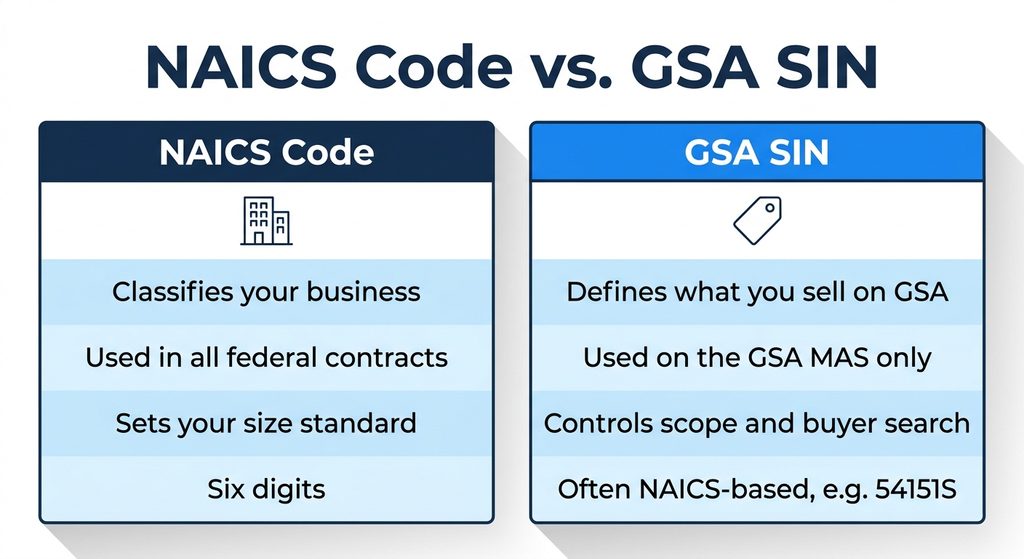
A NAICS code classifies your business and sets your size standard across all federal contracting. A SIN applies only to the MAS program and defines what you may sell on your Schedule. In short, NAICS describes your industry, while the SIN describes your GSA offering.
| Factor | NAICS Code | GSA SIN |
| Who sets it | Federal industry classification; you select codes in SAM.gov | GSA, inside the MAS solicitation |
| Where it is used | All federal contracts | GSA MAS only |
| What it controls | Size standard under SBA rules | Scope, evaluation, and buyer search on GSA platforms |
| Format | Six digits | Often NAICS-based, sometimes with a letter suffix (54151S) |
Use your NAICS codes as a starting filter, then let the SIN scope decide. The SBA table of size standards confirms the size threshold tied to each code.
What Changes With Professional Services SINs vs. Product SINs?
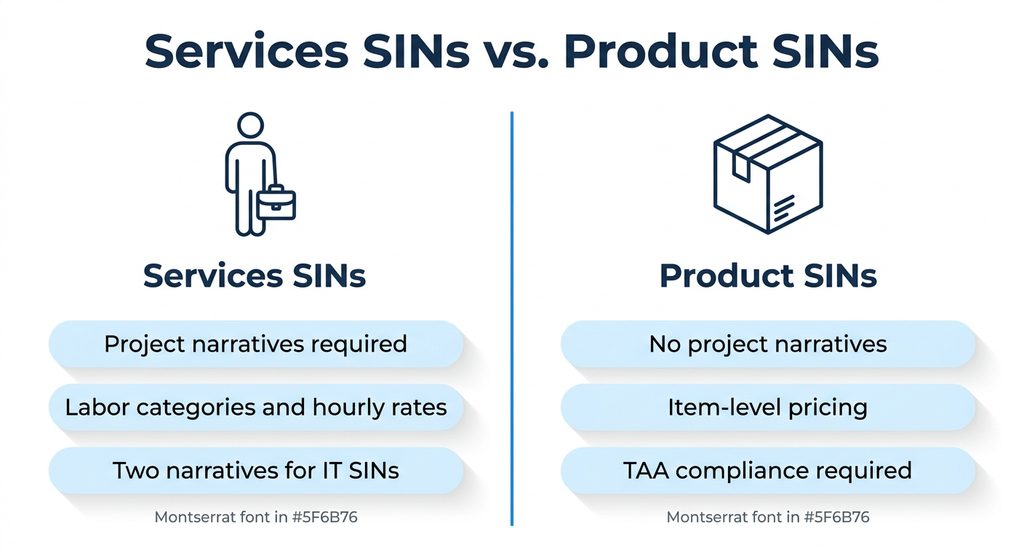
The biggest split in any offer is between services and products. Evaluation, pricing, and evidence look different on each side.
| Factor | Services SINs | Product SINs |
| Project experience | Required: one per SIN, two for IT SINs | Not required |
| Pricing basis | Labor categories with hourly rates | Item-level pricing per model or part |
| Key compliance check | Labor qualifications match the SIN scope | TAA country of origin |
| Catalog | Services listing on GSA Advantage | Product catalog uploaded to GSA Advantage |
Many companies sell both, and that works. However, each side needs its own evidence. A distributor adding installation services still needs project narratives for that services SIN, even though its product SINs need none.
When you write relevant project experience for GSA SINs, mirror the language in the SIN description. Projects should be recent: generally completed within two years, or ongoing with the first year done. One project can support several SINs, but each SIN needs its own description.
What Are the GSA SIN Eligibility Requirements?
These rules sit on top of the baseline MAS requirements. Before you add any SIN to your offer, confirm you meet each of the following.
- An active SAM.gov registration that lists the relevant NAICS codes.
- At least two years of corporate experience, or Startup Springboard eligibility.
- GSA’s Pathways to Success training and Readiness Assessment, completed within the past year.
- Past performance evidence through CPARS or Past Performance Questionnaires.
- A project experience narrative for each services SIN.
- TAA-compliant products for every product SIN.
- Acceptance of the current solicitation refresh, including TDR terms.
Item 3 catches people off guard. GSA requires a company employee to complete the Readiness Assessment, so an outside consultant cannot do it for you.
What Happens If I Choose the Wrong GSA SIN?
A wrong SIN rarely sinks an offer outright. Still, it costs you time and visibility in four ways.
- Clarification requests, or rejection of items outside the SIN scope.
- Buyers searching the correct SIN never see your listing.
- Your small business status may differ from what you expected.
- Monthly TDR reporting on a SIN that produces no sales.
The fix is a contract modification. You delete the wrong SIN and add the correct one through GSA’s eMod system. It works, but it uses contracting officer review time you would rather spend selling.
Where Do Most Applicants Go Wrong When Selecting GSA Schedule SINs?
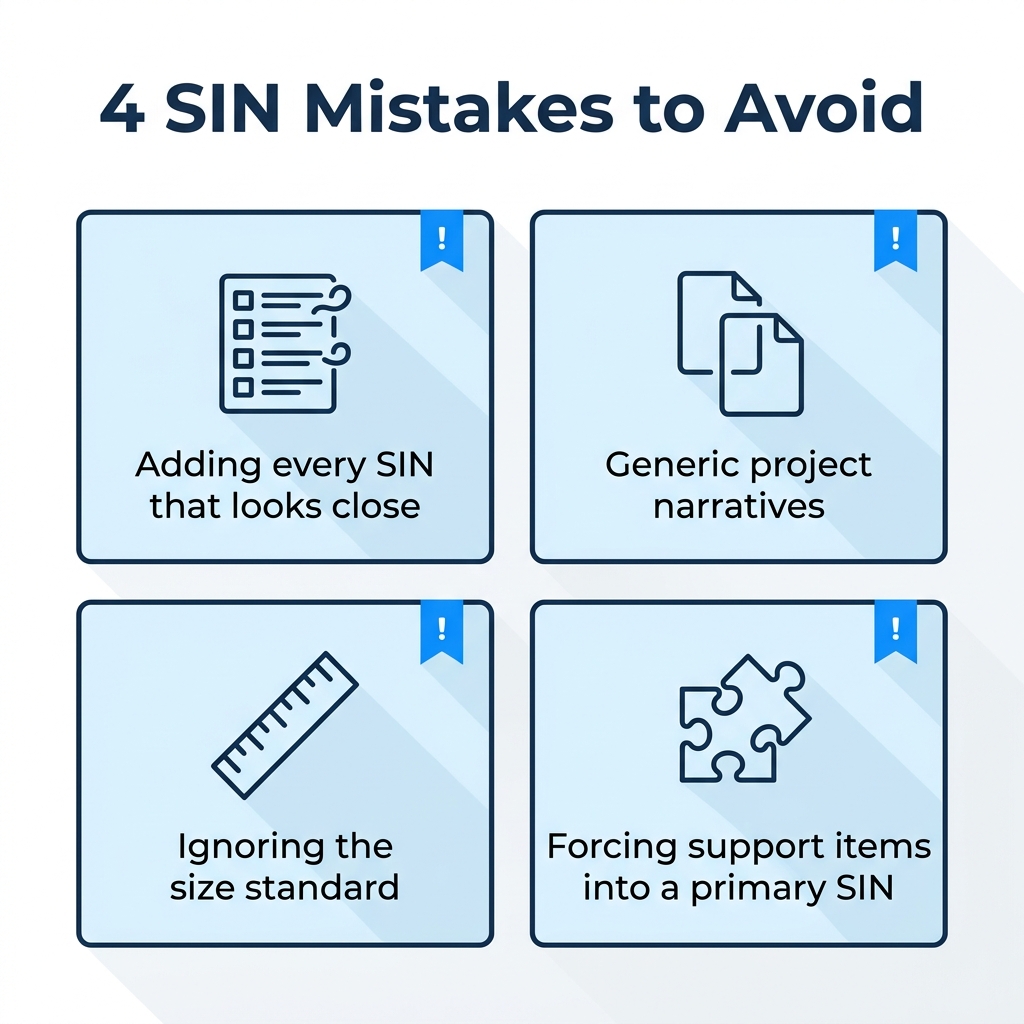
After 30 years of preparing offers, we see the same SIN mistakes again and again. Most come from choosing by title instead of scope.
- Adding every SIN that looks close. More SINs mean more narratives, more pricing, and more monthly reporting. Fewer, well-supported SINs move faster.
- Writing generic project narratives. Contracting officers compare each narrative against the SIN description. Copy-and-paste narratives get flagged.
- Ignoring the size standard. Companies assume they are small on every SIN. Check the NAICS code behind each one first.
- Forcing support items into a primary SIN. If you deliver related items that support your main offering, check whether GSA’s Ancillary Supplies and Services SIN fits better.
Getting how to choose GSA SINs right on the first pass prevents most of these problems. It also gives your contracting officer fewer reasons to send the offer back.
How Does GSA Contract Services Help With SIN Selection?
GSA Contract Services has helped companies win and manage GSA Schedules since 1995. We support more than 250 active clients with a team of more than a dozen Authorized Negotiators.
If you are still deciding how to pick SINs for GSA MAS application, our team reviews your NAICS codes, revenue, and project history. We then recommend a SIN list you can defend. Already on Schedule? Our GSA contract management team handles Add SIN and Delete SIN modifications.
We also support the work after award, from GSA order management to EDI catalog uploads that place each SIN’s products on GSA Advantage. See every option on our services page.
What Should You Remember About Picking Your SINs?
- Learning how to choose GSA SINs starts with what you sell today, not the full catalog.
- Use NAICS codes to shortlist, then let each SIN description decide.
- Keep only SINs you can support with past performance and project evidence.
- Services SINs need project narratives; product SINs need TAA compliance.
- Every SIN now carries TDR reporting, so choose with purpose.
What Questions Do Contractors Ask Most About GSA SINs?
How many SINs can I apply for on a GSA Schedule?
GSA does not set a fixed limit. You can propose any SIN you can support with scope, pricing, and evidence. In practice, each added SIN brings narratives, pricing work, and TDR reporting, so successful offers usually stay focused.
Can I add SINs after my GSA contract is awarded?
Yes. You submit an Add SIN modification in GSA’s eMod system with a cover letter, updated pricing, and any SIN-specific documents. Services SINs still need project experience narratives.
Do I need past performance for every SIN?
GSA reviews past performance at the company level through CPARS or Past Performance Questionnaires. Project experience works differently: you need one narrative per services SIN, and two for IT SINs. Product SINs need no project narratives.
Where can I find the full GSA SIN list?
GSA eLibrary publishes the full MAS listing by Large Category, Subcategory, and SIN. Open the MAS schedule summary page and select any SIN to read its full description.
How long does it take to add a new SIN?
There is no fixed timeline for how quickly to get new GSA SIN approval. GSA says processing depends on contracting officer workload, your documentation, and how fast you respond. A complete package on the first submission is the fastest route.
How can I see which SINs a competitor holds?
If you are asking how do you find the SIN in a GSA Schedule held by another company, search its name in GSA eLibrary. The contract page lists every awarded SIN, which shows you what similar firms hold.
When Should You Start Building Your SIN List?
Start before you write the offer. The SIN list drives every other section, so it is the cheapest place to get things right. Want a second opinion on how to choose GSA SINs for your company? Our Authorized Negotiators will review your list and flag gaps before GSA does.
Not Sure Which SINs Fit Your Business?
Get your SIN list reviewed by an Authorized Negotiator before you submit your GSA offer.
Get Your SIN List Reviewed →GSA Contract Services, LLC | Serving GSA contractors since 1995 | 4622 Cedar Avenue, Suite 123, Wilmington, NC 28403 | 202-280-7060 | Sales@GSA-CS.com