
Every GSA Schedule contractor now reports sales through Transactional Data Reporting. Knowing how to submit monthly TDR reports in the FAS Sales Reporting Portal is now part of keeping your contract. Solicitation Refresh 31 made TDR mandatory on every Special Item Number as of April 2, 2026 (gsa.gov). You file a report every month, within 30 days after the month ends, even when you sold nothing. This guide covers the GSA TDR reporting rules, the data you need, and each step inside the portal.
Key Takeaways
- TDR is mandatory on every MAS Special Item Number since Refresh 31 took effect on April 2, 2026.
- Reports are due every month, within 30 days after the month ends.
- A month with no Schedule orders still needs a $0 report, and only Form Entry accepts it.
- The portal will not take a current report until every missed month is filed.
- The grace period ends December 31, 2026. Full enforcement starts January 1, 2027.
- The 0.75% IFF is a separate quarterly payment made through the same portal.
What Are the Transactional Data Reporting Requirements in 2026?
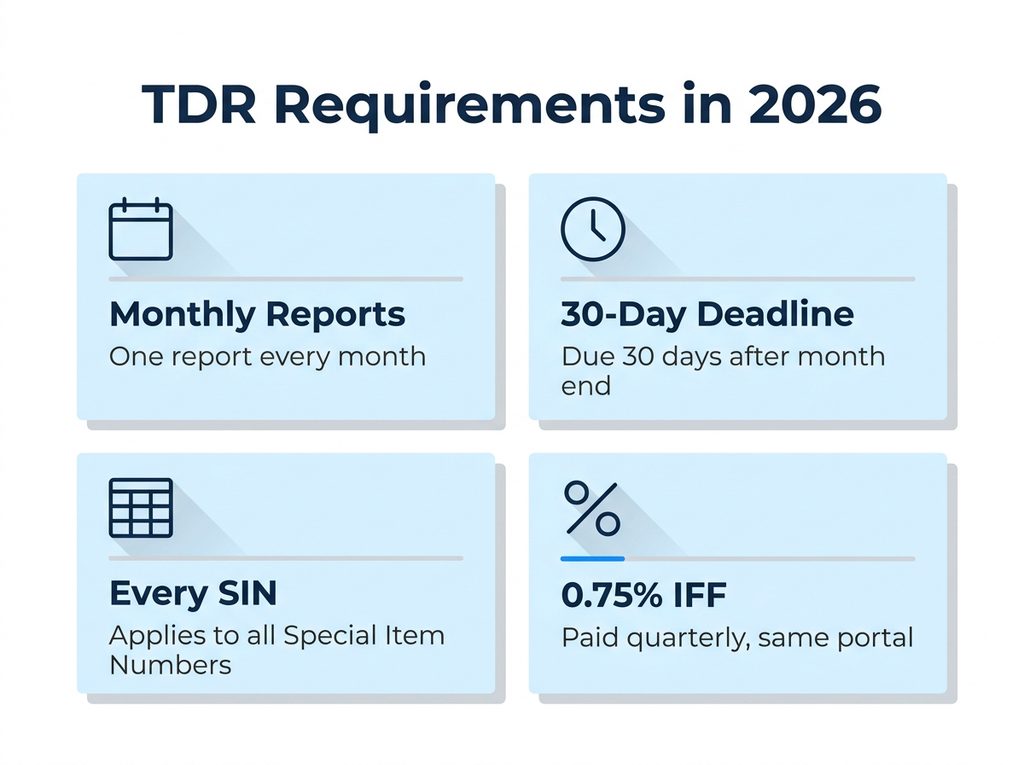
Transactional Data Reporting replaced the old Commercial Sales Practices model on MAS contracts. Under Refresh 31, GSA eliminated the Price Reductions Clause, and contractors no longer submit the CSP-1 disclosure (gsa.gov). In exchange, GSA now collects line-level data on every Schedule order you receive.
The Transactional Data Reporting requirements come down to the rules below.
| Requirement | Rule | Source |
| Frequency | One report per month | GSAR 552.238-80 |
| Deadline | Within 30 days after the month ends | FAS SRP FAQ |
| Scope | Every SIN on your contract | Refresh 31, gsa.gov |
| Months with no orders | File a $0 report through Form Entry | FAS SRP user manual |
| Industrial Funding Fee | 0.75% of Schedule sales, paid quarterly | vsc.gsa.gov |
GSA projects that TDR data will help it avoid about $50 million in costs each year once fully in place (gsa.gov, April 2026). For you, the trade is simple. Your pricing no longer tracks commercial customer discounts, but your monthly order records must be exact.
The next question is who these rules reach, and who in your company can file.
Who Is Responsible for TDR Compliance for GSA Contractors?
Every MAS contract holder is covered. Refresh 31 extended TDR to all SINs, and GSA now rejects offers that are not TDR compliant (gsa.gov). Existing contractors had 60 days to accept Mass Modification A909, with July 1, 2026 as the effective date for on-time acceptances.
Inside your company, the contract record decides who can file. Your contract must list that person as a contract representative, IFF representative, or Authorized Negotiator (FAS SRP file upload specification). That step comes before anyone learns how to submit monthly TDR reports in the FAS Sales Reporting Portal. If the person who used to file has left, update your contract contacts well before the deadline.
Once the right person has access, the calendar becomes the main risk.
When Is the TDR Monthly Reporting Deadline?
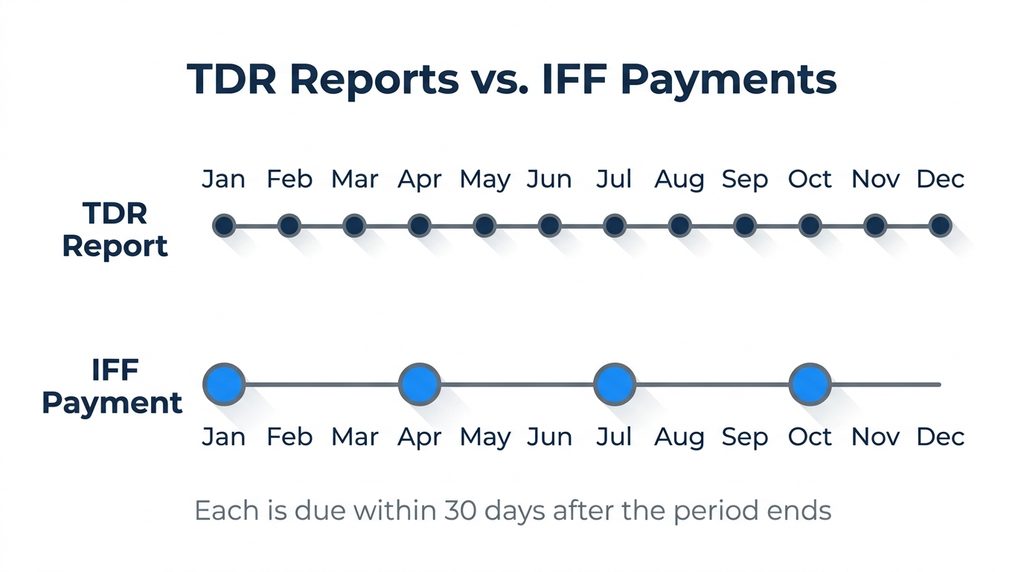
The TDR monthly reporting deadline falls 30 days after the last day of each month. March sales are due by April 30, and April sales are due by May 30. The fee payment runs on its own quarterly calendar, which catches many contractors off guard.
| Obligation | Frequency | When it is due |
| TDR sales report | Monthly | Within 30 days after month end |
| IFF payment | Quarterly | Within 30 days after quarter end |
| Refresh 31 mass modification | One time | Within 60 days of issue |
| SAM.gov registration | Annual | Before your registration expires |
In practice, set an internal due date about 10 days after month end. That gives you time to correct data errors without working against the cutoff. Also keep your SAM.gov registration current, because a lapse suspends payment eligibility.
With the dates set, the next step is knowing exactly what goes into each report.
What Are the TDR Required Data Elements?
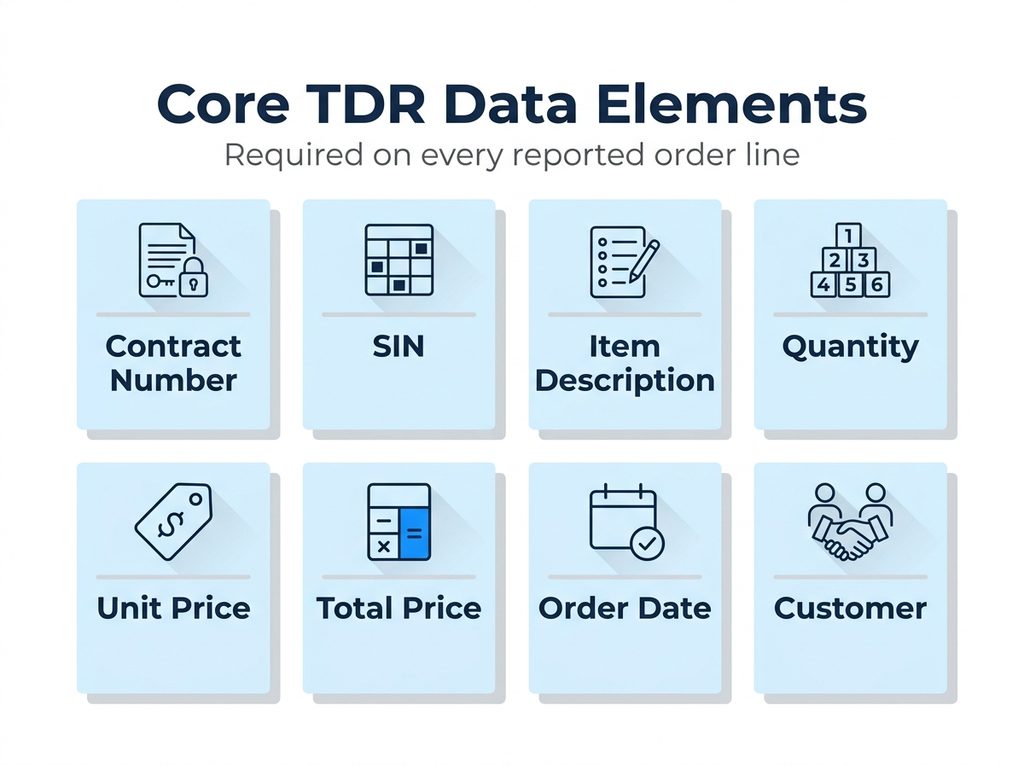
GSA requires 12 data elements on each reported transaction and lists 4 more as optional (gsa.gov). The required set includes the fields below. GSA updates the reporting template from time to time, so confirm the full list against the live template before each cycle.
| Data element | What to enter |
| Contract number | Your GSA Schedule contract number |
| SIN | The Special Item Number the item was awarded under |
| Item description | The product or service as it appears on your contract |
| Quantity | Units sold on the order line |
| Unit price | Price per unit charged to the agency |
| Total price | Extended price for the line |
| Order date | Date the agency placed the order |
| Customer information | The ordering agency |
Report only orders placed against your GSA Schedule. Commercial sales and orders on other contract vehicles stay out. Pull the TDR required data elements straight from your order system, because retyping them from invoices is where most line errors start.
With clean data in hand, the portal work itself takes only a few steps.
How Do You File Sales in the FAS Sales Reporting Portal?
Here is the full process for how to submit monthly TDR reports in the FAS Sales Reporting Portal, in the order the system expects it.
Step 1: Log in to the portal
Open srp.fas.gsa.gov in any browser and select Contractor Login. The portal uses multifactor sign-in through an Okta account (FAS SRP).
Step 2: Gather your Schedule orders for the month
Export every GSA Schedule order with an order date in the reporting month. Check each line for the required fields before you open the reporting screen.
Step 3: Clear any missed months first
The portal requires reports for all missed periods before it accepts the current one (FAS SRP FAQ). If you skipped a month with no orders, file that $0 report first.
Step 4: Choose a method and enter the data
Use Form Entry for a short report or File Upload for a longer one. The next section explains which method fits your volume.
Step 5: Review and submit
Check the totals against your own order records, then submit. If you find an error later, the portal lets you adjust submitted data (FAS SRP FAQ). Send sensitive supporting documents only through its supporting documentation feature.
Step 6: Pay the IFF at quarter end
The same portal handles fee payments. Your reported sales set the fee at 0.75% of Schedule sales, due within 30 days after each quarter ends (vsc.gsa.gov).
Want Someone Else to Handle the Monthly Upload?
Our Authorized Negotiators file sales reports and IFF payments for GSA contractors every month. Send us your contract number and we will review where your reporting stands.
Get Your TDR Reporting Reviewed →Which GSA Sales Reporting Method Fits Your Order Volume?
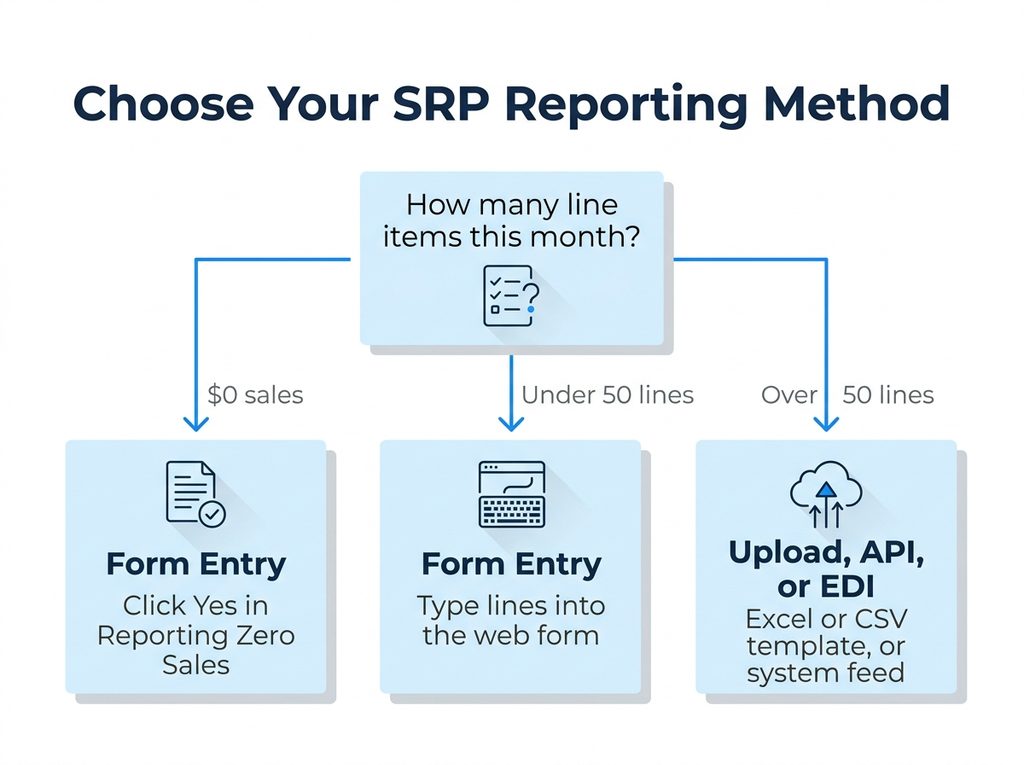
The portal offers five ways to report: Form Entry, Excel upload, CSV upload, API, and the EDI gateway (FAS SRP user manual). For MAS contracts, GSA suggests Form Entry when you have fewer than 50 line items per contract. Above that, the upload, API, or EDI options handle volume better.
| Method | How it works | Best for |
| Form Entry | Type each line into a web form, save a draft, and submit when ready | Under 50 lines, and every $0 month |
| File Upload (Excel) | Fill in GSA’s preformatted template and upload it | Over 50 lines with manual exports |
| File Upload (CSV) | Export a CSV from your accounting system and upload it | Over 50 lines with system exports |
| API | A system-to-system connection to the portal | High volume, automated reporting |
| EDI gateway | Transactions sent through an EDI connection | Contractors already trading by EDI |
If your orders already move through EDI, connecting your GSA sales reporting to that feed ends the monthly retyping. Our EDI and XML services team builds these connections for GSA and DoD contractors.
Volume decides the method for active months. Empty months follow a different rule.
How Does TDR Zero Sales Reporting Work?
A month with no Schedule orders still requires a report. Open Form Entry, select the reporting period, and click Yes in the Reporting Zero Sales field (FAS SRP FAQ). Form Entry is the only method that accepts a $0 report (FAS SRP user manual).
TDR zero sales reporting is where many new contractors slip. They assume no orders means no filing, the 30 days pass, and the contract goes delinquent. The portal then holds the next report until the missed month is filed.
Where Do Contractors Go Wrong With GSA TDR Reporting?
Most problems we see trace back to a handful of habits. Each one is easy to fix in the first month and slow to unwind after several.
- Skipping $0 months. The contract goes delinquent, and every later report waits behind the backlog.
- Reporting non-Schedule sales. Commercial and open market orders inflate the sales total, and with it your IFF.
- Using an old template. Download the current template from the portal at the start of each cycle.
- Losing portal access. Staff changes leave nobody on the contract who can file.
- Confusing the report with the payment. Filing the monthly report does not pay the quarterly fee.
These mistakes matter more each month as the grace period winds down.
What Happens to TDR Compliance for GSA Contractors After the Grace Period?
GSA set a grace period that runs through December 31, 2026, and full enforcement begins January 1, 2027 (GSA Interact). Contractors who did not accept Mass Mod A909 face contract cancellation.
Enforcement also arrives while GSA trims its contractor base. Active MAS contractors fell from 16,108 in FY2024 to about 14,579 in FY2025, roughly 1,500 contracts in one year (GSA SSQ+). A clean reporting history is one part of that review you fully control.
If you have open months, file them before December 31. Monthly reporting is one piece of ongoing GSA contract management services, alongside IFF payments, mass modifications, and renewals.
Have Open Months Before December 31?
We can check your portal status, file missed periods, and set up a monthly routine before enforcement begins.
Clear My TDR Backlog →How Can GSA Contract Services Help With Your Monthly Reports?
GSA Contract Services has worked with GSA Schedule contractors since 1995. Our Authorized Negotiators support more than 250 active clients across GSA, VA, FedMall, and DLA contracts. On TDR, we can:
- File your monthly reports, or review yours before you submit
- Reconcile reported sales against your quarterly IFF payments
- Set up file upload or EDI reporting for higher order volumes
- Keep portal access and contract contacts current when staff change
- Flag mass modifications before their acceptance windows close
For support on the order side, including agency purchase orders and delivery, see our GSA order management service.
What Should You Remember About How to Report GSA Sales?
Learning how to submit monthly TDR reports in the FAS Sales Reporting Portal takes one cycle. Keeping it on time every month is the harder part. Here is how to report GSA sales without falling behind:
- File every month within 30 days, including $0 months through Form Entry
- Report Schedule orders only, using the current template
- Clear any missed months before the current one
- Pay the 0.75% IFF within 30 days of each quarter end
- Close any open months before enforcement starts on January 1, 2027
What Do Contractors Ask Most About GSA TDR Reporting?
How do I submit TDR reports for my GSA Schedule?
Log in at srp.fas.gsa.gov, choose the reporting period, and enter your Schedule orders by Form Entry or File Upload. That is how to submit monthly TDR reports in the FAS Sales Reporting Portal for most contractors. Larger volumes can report by CSV, API, or EDI.
When are GSA TDR reports due each month?
Reports are due within 30 days after each month ends. Treat that deadline as fixed, since a late report marks the contract delinquent.
Do I have to file a report if I had no sales that month?
Yes. Open Form Entry, select the month, and click Yes in the Reporting Zero Sales field. No other reporting method accepts a $0 report.
What is the difference between TDR reporting and the IFF payment?
TDR is a monthly data report. The IFF is a quarterly payment of 0.75% of reported Schedule sales. Both run through the FAS Sales Reporting Portal, on separate deadlines.
Can a consultant submit TDR reports on my behalf?
Yes, if your contract lists that person as a representative or Authorized Negotiator with portal access. Many contractors hand this task to their GSA consultant. Contact our team to set it up.
Ready to Hand Off Your Monthly Reports?
Talk with a GSA Contract Services Authorized Negotiator about reporting, IFF, and the rest of your Schedule obligations.
Contact Us →